United States
 Australia
 United Kingdom
 Singapore
 Malaysia
 Thailand
 Indonesia


Turn On YouTube Channel Insights and Get Discovered by More Brands Through Fabulate
Learn how enabling YouTube Channel Insights can increase your visibility, attract more partnership opportunities, and unlock richer creator data through Fabulate's YouTube Creator API integration.
For creators, visibility is everything.
You can produce incredible content, build a loyal audience, and consistently grow your channel, but if brands don't have enough information to evaluate your suitability, you could be missing out on partnership opportunities.
That's why YouTube's Channel Insights feature matters.
And now, thanks to Fabulate's integration with the YouTube Creator API, brands using Fabulate will soon be able to access Channel Insights data from creators who choose to opt in, making it easier than ever to connect the right creators with the right opportunities.
What Is YouTube Channel Insights?
Channel Insights is a YouTube feature that allows creators to share additional channel information with advertisers, brands, and approved third-party platforms. This includes channel statistics, audience breakdowns, and shopping performance insights that help brands make more informed partnership decisions.
Think of it as giving brands a clearer picture of who you are, who your audience is, and why your channel is a good fit for their campaign.
Importantly, sharing this information is completely optional and can be switched off at any time.
Why Should Creators Turn It On?
The creator economy is becoming increasingly competitive. Brands have more creators to choose from than ever before, and many are looking beyond subscriber counts and view numbers when making partnership decisions.
By enabling Channel Insights, you're providing brands with additional information that can help you stand out from the crowd.
According to YouTube, creators who share Channel Insights see significant benefits when it comes to discovery and brand opportunities.
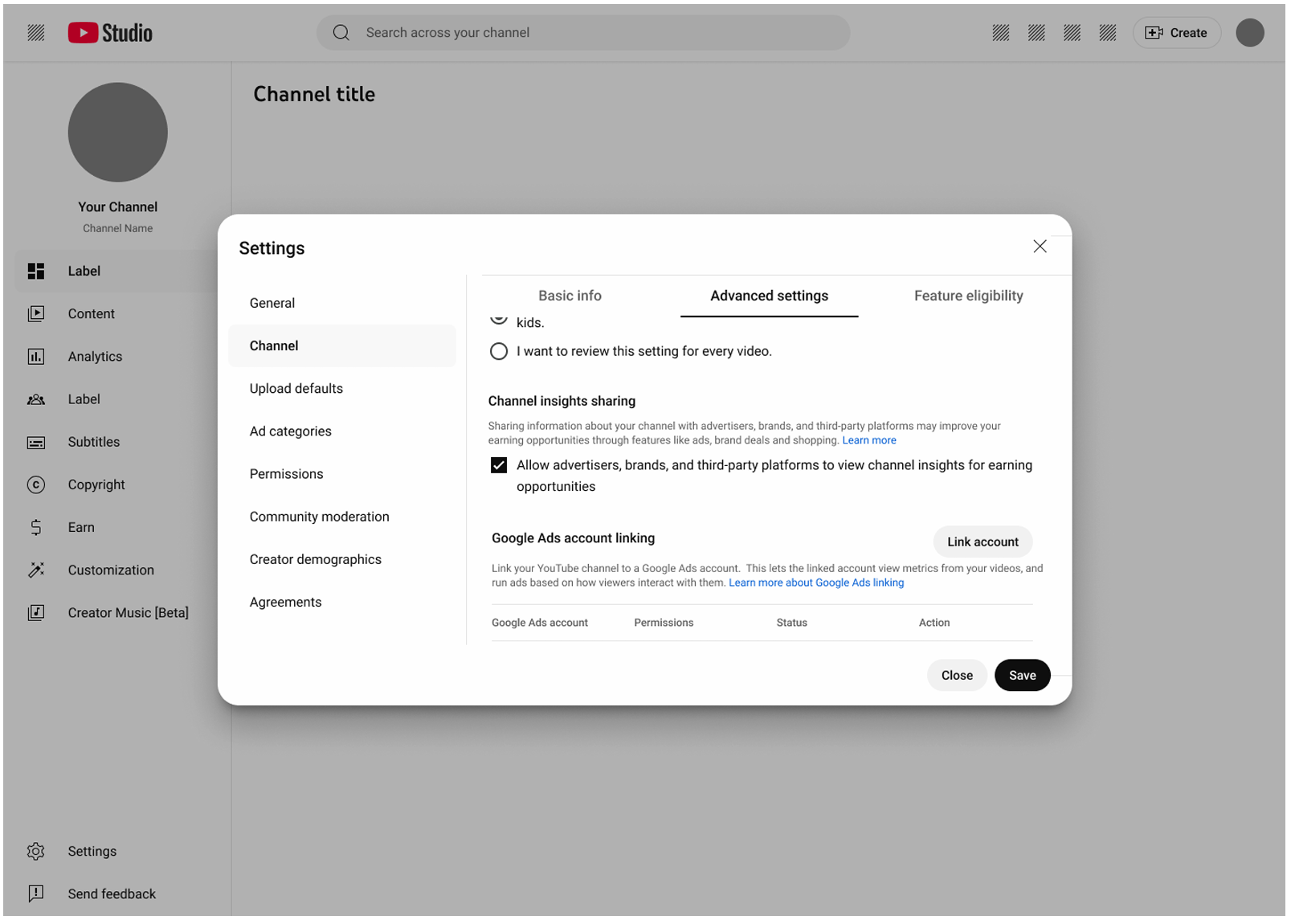
Switch on Channel Insights sharing in YouTube Studio here and unlock more opportunities to get discovered.
Get Discovered More Often
Creators who enabled Channel Insights were surfaced more than 60% more frequently in creator search results used by brands and advertisers.
The reason is simple. Brands are naturally more confident engaging creators when they have access to transparent and detailed performance data.
Generate More Interest
YouTube reports that creators who shared Channel Insights achieved approximately twice the profile interaction rate compared to creators who did not.
More profile views and interactions can lead to more conversations, briefs, and partnership discussions.
Receive More Brand Enquiries
Creators who enabled Channel Insights received more than twice as many brand enquiries through creator discovery tools compared with those who chose not to share their data.
For creators looking to grow their commercial opportunities, that's a compelling reason to make the switch.
What Does This Mean for Fabulate Creators?
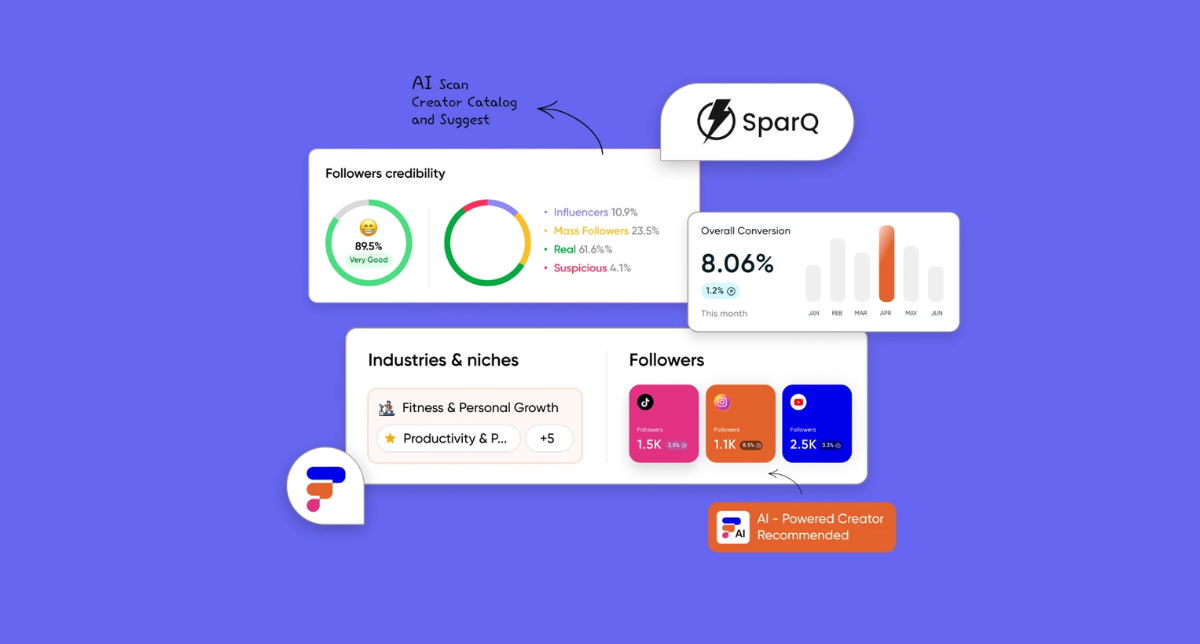
Fabulate is connected directly to the YouTube Creator API, meaning brands using the platform will be able to access Channel Insights from creators who have opted in to sharing their information.
This gives brands a richer understanding of your audience, channel performance, and suitability for campaigns, helping them make faster and more confident decisions.
For creators, that means:
- Greater visibility within creator searches
- More opportunities to be shortlisted for campaigns
- Increased confidence from brands evaluating your profile
- Stronger opportunities for YouTube Shopping collaborations
- Better alignment between your audience and brand objectives
In short, enabling Channel Insights helps your profile work harder for you.
How to Turn On Channel Insights
Enabling Channel Insights only takes a few minutes.
Step 1: Open YouTube Studio
Log in to your YouTube account and open YouTube Studio.
Step 2: Navigate to Settings
Select Settings from the left-hand menu.
Step 3: Open Advanced Settings
Under the Channel section, select Advanced Settings.
Step 4: Enable Channel Insights Sharing
Locate the Channel Insights Sharing option and select the checkbox to allow advertisers, brands, and approved third-party platforms to access your Channel Insights data.
Step 5: Save Your Changes
Save your settings and you're done.
You can update or disable this setting at any time.
Why Transparency Wins
As creator marketing continues to evolve, brands are looking for greater confidence in their creator selection process. The more information they have access to, the easier it becomes to identify creators who genuinely align with their objectives.
Channel Insights helps bridge that gap.
By sharing additional channel information, you're giving brands a clearer understanding of your value while increasing your chances of being discovered for relevant opportunities.
The Bottom Line
If you're looking to attract more brand partnerships, increase your visibility, and make it easier for brands to understand your channel's value, enabling YouTube Channel Insights is one of the simplest actions you can take.
With Fabulate's YouTube Creator API integration bringing these insights directly into the creator discovery process, there's never been a better time to switch it on and help brands discover what makes your channel unique.

.png)
.png)
.jpg)



.jpg)
.jpg)
.jpg)
.jpg)

.jpg)


.jpg)









.png)
.png)















.png)
.png)
.png)

.png)
.png)
.png)
.png)
.png)
.png)
.png)
.png)
.png)
.png)
.png)
.png)
.png)


.png)
.png)